
If you’ve used Windows for most of your life, the word Linux can feel vague, technical, or slightly intimidating. You may have heard that it’s “for experts,” or that it’s something completely different from what you’re used to.
In reality, Linux is much simpler and much more practical than most people expect. This article isn’t here to convince you to switch or to rush you into anything. It’s simply a calm explanation of what people actually mean when they say “Linux,” written for everyday Windows users.
First: what is an operating system?
Every computer needs an operating system. It’s the core software that starts your computer, lets you open programs, manages your files and settings, and connects you to the internet.
Windows is an operating system. macOS is an operating system. Linux is another one.
From a user’s point of view, your operating system is just “the environment your computer runs in.” You don’t normally think about it. You just use it.
So… what is Linux?
Linux is an operating system, but it’s built differently from Windows.
Instead of being owned and controlled by a single company, Linux is developed openly by a global community. Anyone can use it, improve it, or adapt it. There’s no license fee, no activation key, and no required account.
This doesn’t make Linux experimental or unstable. In fact, Linux runs most of the internet’s servers, powers Android smartphones, and handles infrastructure used by companies and governments worldwide.
What’s changed in recent years is that Linux has become comfortable and approachable for everyday desktop users, not just professionals.
Linux, distributions, and the car analogy
This is where confusion often starts, so let’s clear it up gently.
Linux itself is the engine of the system. On top of that engine, different groups build complete operating systems called distributions (often shortened to “distros”).
Think of it like this:
- Linux = the engine
- Distributions = different cars built using that engine
All cars use an engine, but they feel very different: a compact car, a family sedan, a luxury vehicle. Each is built for a different kind of driver.
Linux distributions work the same way. Some are designed for advanced users. Others are designed specifically for people coming from Windows who just want something familiar and reliable.
For everyday users, the important part isn’t how the engine works. It’s choosing a car that feels comfortable to drive.
What does Linux actually look like?
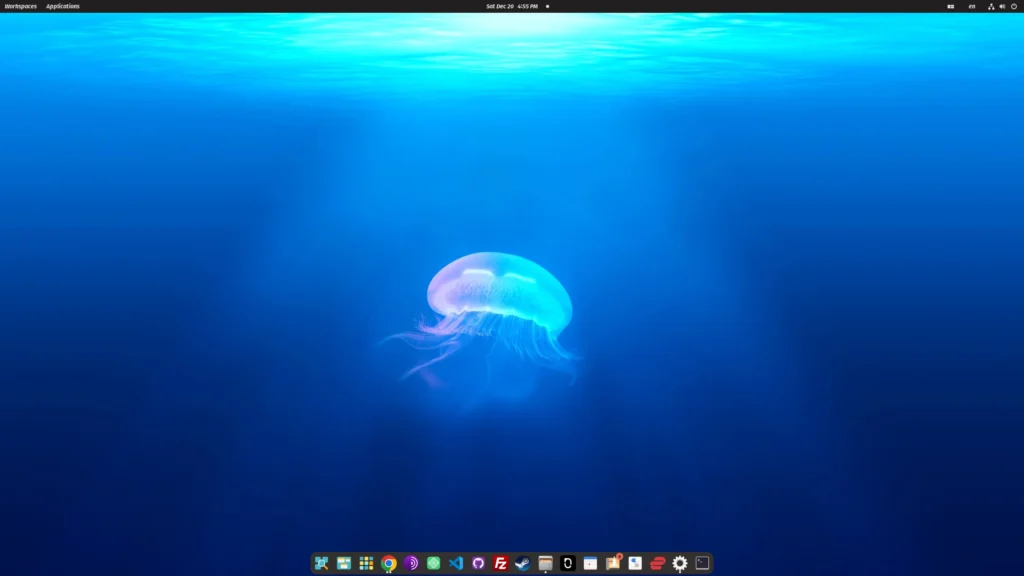
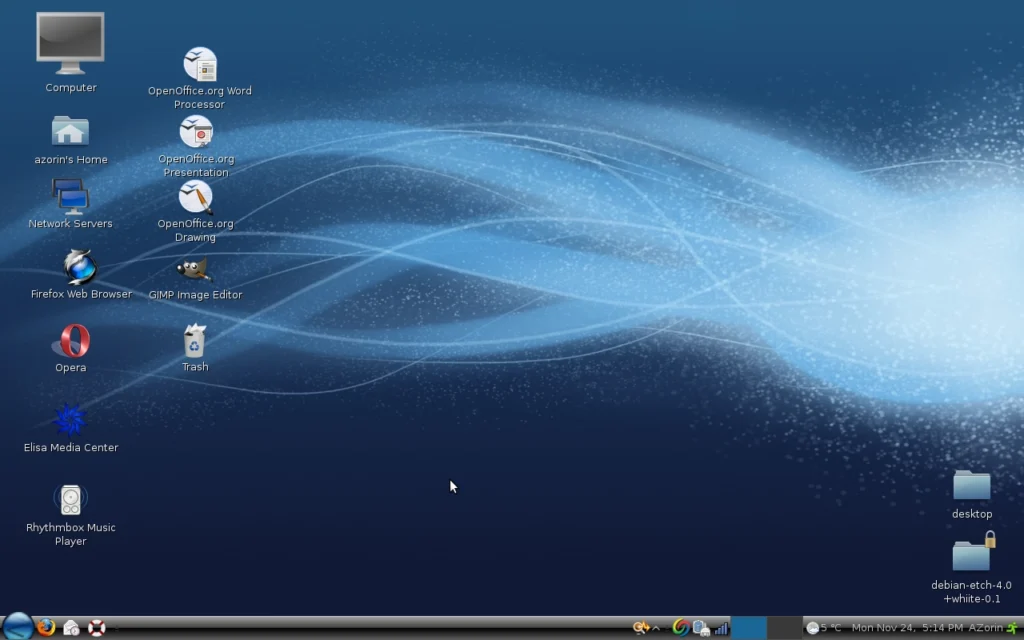
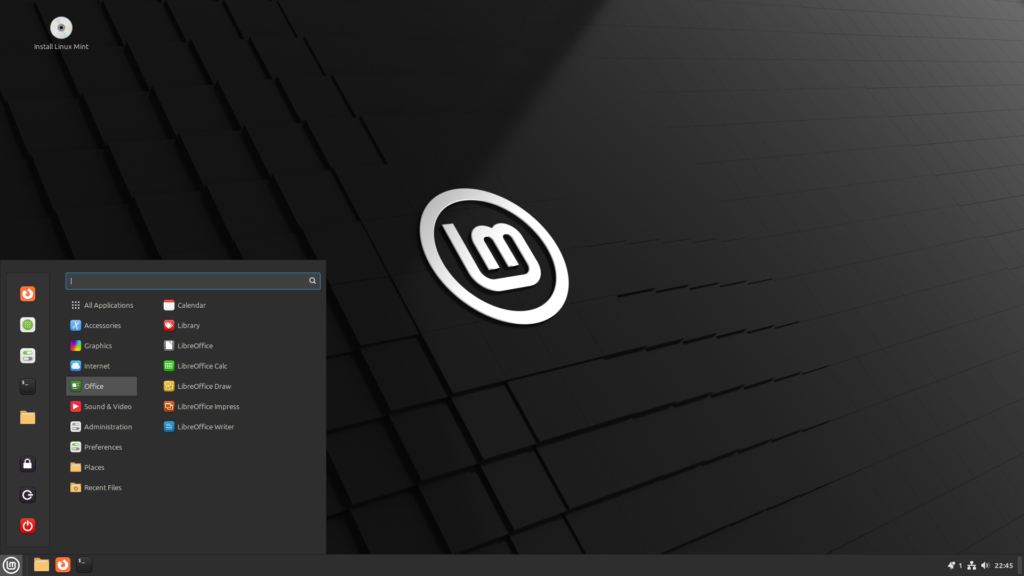
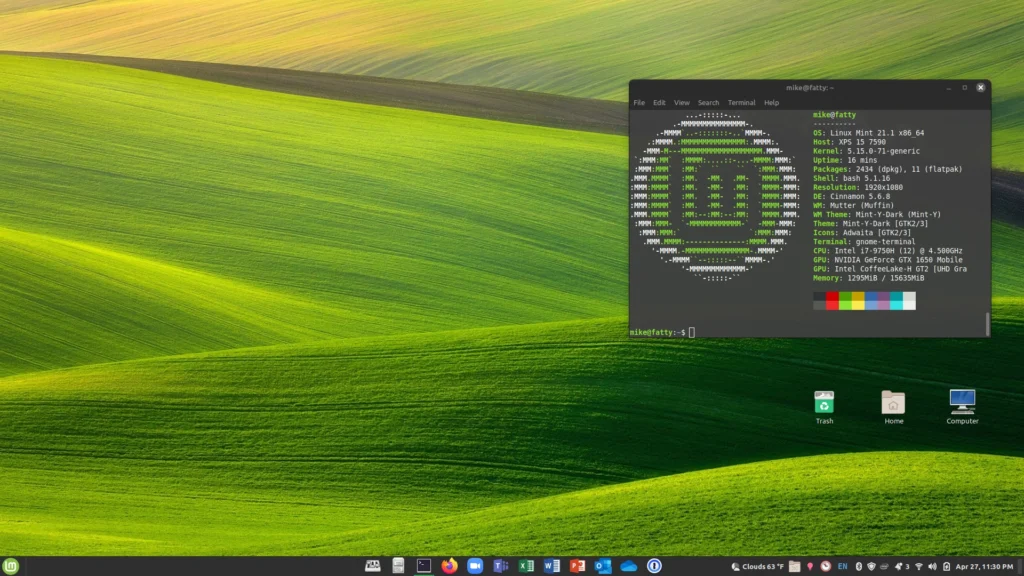
This is often the biggest surprise.
Modern Linux desktops usually have a menu button, a taskbar, app icons, file folders, and settings panels. In other words, they look and behave in ways Windows users already understand.
You open a browser, check email, watch videos, write documents, and manage files in very familiar ways. You don’t need to use the command line, learn programming, or “think like an engineer” to use Linux day to day.
For many people, it feels less like learning something new and more like moving into a slightly different version of the same house. Often a quieter one.
What Linux is not
It helps to clear up a few common misconceptions.
Linux is not a programming language. It’s an operating system, just like Windows.
It’s not a hobby project for experts only. Millions of regular people use it daily without technical backgrounds.
It’s not a text-only system. Modern Linux looks and feels like any other desktop environment.
It’s not constantly changing underneath you. Most distributions are very stable and predictable.
You don’t have to customize endlessly. You can if you want, just like you can tune a car’s engine, but you don’t have to. Most people simply install it and use it.
How does Linux feel in daily use?
Many Windows users notice a few things quickly.
The system feels lighter and more responsive, especially on older hardware. Updates are calm and optional, not disruptive. The computer feels more like your tool, not something being managed for you.
There are fewer pop-ups, fewer forced changes, and fewer surprises.
This sense of calm and control is one of the reasons people who switch often say they “relax” more when using their computer.
Do you need to understand Linux to use it?
No, just like you don’t need to understand how an engine works to drive a car.
Understanding the basics can be reassuring, but modern Linux systems are designed to be used, not studied. You can learn more over time if you’re curious, but curiosity is optional.
The goal is simple: use your computer comfortably and confidently.
Where this fits into Jiritsu Lab
At Jiritsu Lab, the focus isn’t on turning people into Linux experts. It’s about helping people understand their options and make calm, independent decisions about their technology.
Linux is one of those options, not because it’s trendy or technical, but because it’s practical, mature, and respectful of the user.
If you’d like to continue, the next step isn’t to install anything. It’s simply to understand why someone might choose Linux in the first place, and whether that makes sense for you.
Take your time. There’s no rush.
Next: Read “Why Linux” (and whether it makes sense for your PC)